
 by Ashesh Das
Building on MODVC: Stateless Bot API & OAuth2 SSO
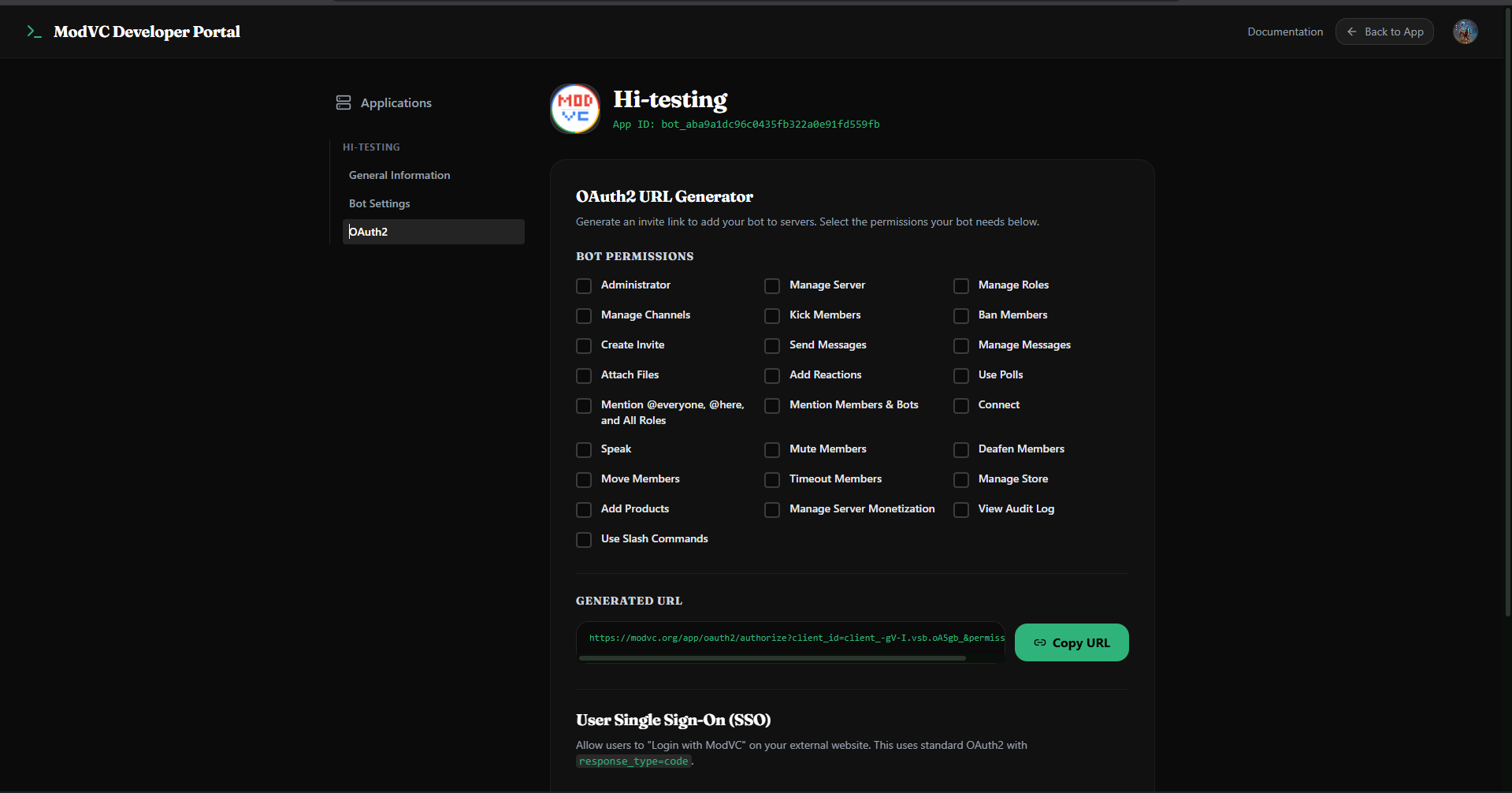
Build bots, manage channels, and authenticate users on MODVC. A complete guide to our stateless REST API and OAuth2 SSO flow optimized for edge runtimes.
We created MODVC as an alternative, fast and private Discord. Now we are making the infrastructure available for developers.
The MODVC Developer Platform allows you to create custom integrations, receive real-time events with webhooks and authenticate your users with our safe OAuth2 Single Sign-On (SSO) gateway.
Contrary to older platforms that need constant WebSocket connections, MODVC Bot API is completely state-less. It was designed to run in high-concurrency environments like Cloudflare Workers, Vercel or Fly.io with no idle memory usage.
- The Bot Architecture: Webhooks over WebSockets
A traditional bot keeps an open WebSocket connection with a gateway. This type of connection can be prone to disconnections and wastes memory when not doing any action.
The MODVC Bot API uses a state-less Webhook & REST API model:
- REST API: Your bot can interact with MODVC's resources, for instance posting messages, creating channels or sending commands, using HTTP POST requests sent to the https://modvc.org/api/bot endpoint.
- Webhooks: MODVC delivers events, like a message, a slash command, or a button click, using POST requests sent to your web server.
Authentication All requests made against the MODVC REST API should contain the secret Bot Token passed in the Authorization HTTP header:
Authorization: Bearer YOURBOTTOKEN
Content-Type: application/json

## 2. Setting Up a Webhook Listener

When an event occurs on your server (like a user typing `/ticket`), MODVC posts the event payload to your registered webhook URL. Your server must validate the request and return a `200 OK` response within 3 seconds.

Here is a minimalist webhook handler using standard [Node.js](https://nodejs.org/):

```javascript
import http from 'http';

const PORT = process.env.PORT || 8080;

const server = http.createServer(async (req, res) => {
  if (req.method === 'POST' && req.url === '/webhook') {
    let body = '';
    req.on('data', chunk => { body += chunk; });
    req.on('end', () => {
      try {
        const payload = JSON.parse(body);
        console.log('Received event:', payload.type);

        // Handle slash commands
        if (payload.type === 'interaction' && payload.data.name === 'ping') {
          res.writeHead(200, { 'Content-Type': 'application/json' });
          res.end(JSON.stringify({
            type: 'channel_message',
            data: { content: 'Pong! 🏓' }
          }));
          return;
        }

        // Default response for unhandled events
        res.writeHead(200);
        res.end('OK');
      } catch (err) {
        res.writeHead(400);
        res.end('Bad Request');
      }
    });
  } else {
    res.writeHead(404);
    res.end();
  }
});

server.listen(PORT, () => {
  console.log(`Webhook listener running on port ${PORT}`);
});
3. Registering Slash Commands
You register slash commands by making a POST request to the /api/bot endpoint. This register step only needs to be run once when your bot configuration changes.
curl -X POST https://modvc.org/api/bot \
  -H "Authorization: Bearer YOUR_BOT_TOKEN" \
  -H "Content-Type: application/json" \
  -d '{
    "action": "register_commands",
    "commands": [
      {
        "name": "ping",
        "description": "Checks bot latency"
      },
      {
        "name": "ticket",
        "description": "Create a private support channel"
      }
    ]
  }'
4. OAuth2 Single Sign-On (SSO) Flow
If you want to authenticate users on your own website using their MODVC account, you can use our OAuth2 flow.
Step 1: Redirect to Authorization URL
Send the user to the MODVC consent screen:
https://modvc.org/oauth/authorize?client_id=YOUR_CLIENT_ID&redirect_uri=YOUR_REDIRECT_URI&response_type=code&scope=identify
Step 2: Exchange Authorization Code for Access Token
Once the user approves your app, they are redirected back to your redirect_uri with a code query parameter. Exchange it via a POST request:
curl -X POST https://modvc.org/api/oauth/token \
  -d "client_id=YOUR_CLIENT_ID" \
  -d "client_secret=YOUR_CLIENT_SECRET" \
  -d "grant_type=authorization_code" \
  -d "code=AUTHORIZATION_CODE" \
  -d "redirect_uri=YOUR_REDIRECT_URI"
Step 3: Fetch User Profile
Use the returned access_token to retrieve the user's secure profile:
curl -H "Authorization: Bearer ACCESS_TOKEN" https://modvc.org/api/oauth/users/me
Response format:
{
  "id": "MV-987654",
  "username": "ashesh_das",
  "avatar": "https://modvc.org/avatars/user.png"
}
5. Metadata and Google Verification
To ensure our authentication flows comply with global developer standards, we have hardened the homepage metadata and structured data schema. The MODVC portal now serves strict Google-compliant JSON-LD markup outlining our exact application categories and privacy policies.
Whether you are deploying bot templates on the zero-cost MODVC Panel or integrating voice SSO on custom domains, the ecosystem is built to be open, inspectable, and fast.
Read the full technical specification under our Developer Docs.